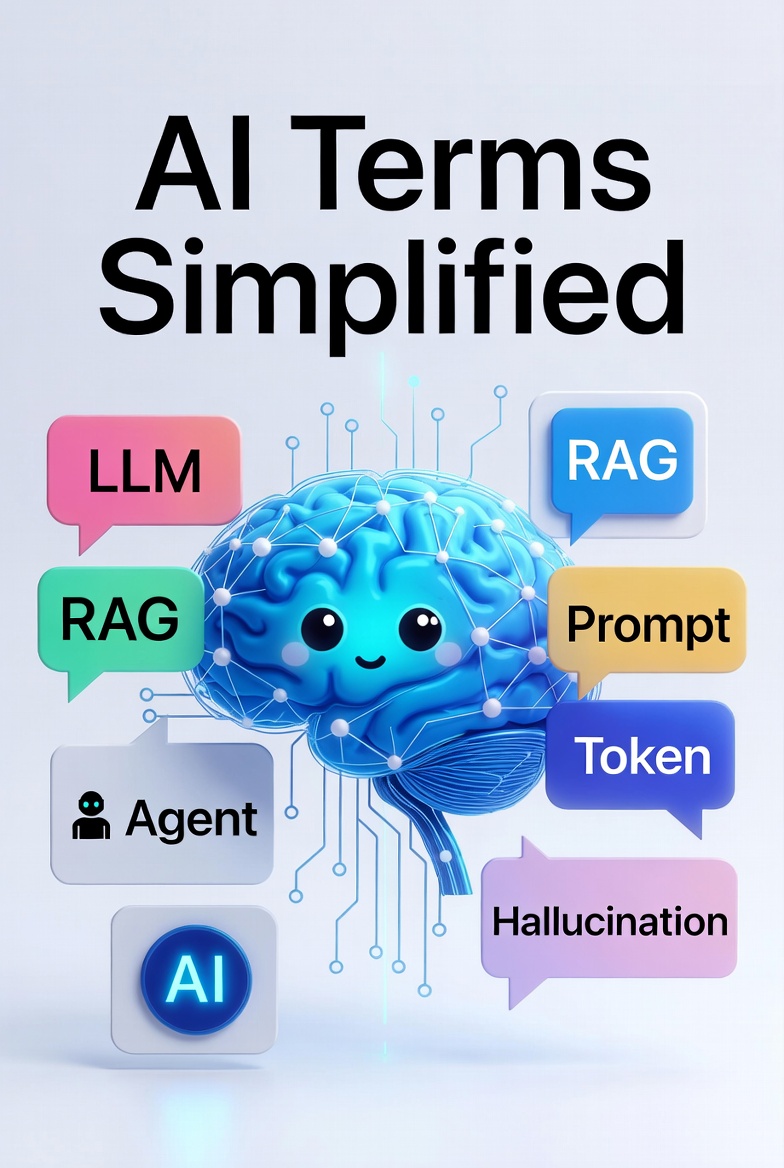
AI Terms Simplified
I was chatting with my wife the other day and casually used the phrase “vibe coding.”
Her blank stare made it instantly clear she had no idea what I was talking about.
Even though she’s a frequent AI user, there were still plenty of terms she wasn’t familiar with. So I put together this simple glossary. I thought it was worth sharing with a wider audience.
LLM (Large Language Model)
An AI system trained on vast amounts of text data from the internet and other sources. It works by learning statistical patterns in language to predict and generate text responses.
Here's how the pattern-learning works: During training, the AI reads billions of sentences and learns which words tend to follow other words. For example, it notices that "peanut butter" usually appears together, or that questions starting with "Why" often get answered with explanations. It builds up millions of these associations and statistical relationships.
When you ask an LLM a question, it doesn't actually "understand" in the human sense. Instead, it uses those learned patterns to make an educated guess about what word should come next, then the next word after that, building up a response one token at a time. It's essentially an extremely sophisticated word-prediction system.
Because LLMs work purely on pattern-matching, they can produce fluent, contextually relevant text that sounds intelligent. But they also have inherent limitations: they can hallucinate false information, struggle with novel situations outside their training patterns, and can't truly reason or understand concepts the way humans do. They're powerful tools for generating text, but they're fundamentally pattern-matchers rather than thinking systems.
Model
A trained AI system that has learned patterns from data and can make predictions or generate outputs based on those patterns. Think of a model as a specialized tool that's been "taught" by processing examples. An LLM is one type of model, trained on vast amounts of text.
Other models might be trained on images (to recognize whether a photo contains a cat), medical data (to predict disease risk), or financial data (to forecast stock prices).
Models are only as good as the data on which they are trained. Inaccurate or biased information will result in poor quality responses.
Different models have different strengths. Whilst casual users of AI will work with whatever model they have, it is important for professional use to evaluate models for the business needs. New models are releasing at a rapid pace, which means evaluations need to be revisited frequently.
Training
Training is the process of teaching an AI model by providing it with millions of examples. During training, an AI system reads through vast amounts of text, images, code, or other data and gradually adjusts its internal parameters to get better at predicting the next word, recognizing objects, or whatever task it's being trained for.
Training is expensive, both in terms of time and computational power. It takes weeks or months to train a model. Estimates suggest GPT-4 training costs to be in the $50m to $100m region.
Once training is complete, the model is “frozen”. This means that a model released in late 2025 will know nothing about events in 2026. This is where RAG (See later in the article) is needed.
Hallucination
When an AI confidently makes up information that isn't true. It's not lying on purpose; it's just generating plausible-sounding text that happens to be wrong. The AI cannot always determine the difference between real facts and stuff it just invented, so it will present made-up information with the same confidence as accurate information.
This happens because AI works by predicting what word comes next based on patterns it learned during training. Sometimes those patterns lead it down a path toward a convincing-sounding but completely false answer. It's like if you were playing a word-prediction game and your phone autocorrected your message into something totally ridiculous, but AI states it with the same confidence as verifiable facts.
Some humorous (and cautionary) examples:
- An AI was asked about an obscure academic paper and cited a real author and journal, but invented the entire study, abstract, and findings. The paper didn't exist.
- An AI confidently described the plot of a movie that never existed, complete with actors' names and release dates. It sounded totally plausible.
- An AI was asked a math question and gave a completely wrong answer, but explained the reasoning so clearly and confidently that it almost seemed right.
- An AI invented a historical event (a "Great Pumpkin Festival of 1887") with such detail that someone might actually believe it if they didn't fact-check.
The moral: Never trust an AI for factual claims without verification, especially for important decisions. Always cross-check critical information.
Retrieval-Augmented Generation (RAG)
Retrieval-Augmented Generation is a mouthful, which is why it is usually called RAG. It is intended to reduce the frequency of Hallucination. It does that using a two step approach.
Firstly, it looks up data from a database or documentation store. It then uses that data to generate an answer.
By providing the LLM with specific information, you reduce the risk of hallucination caused by incorrect or outdated data. The effectiveness depends on the quality of the provided data.
For example. If you ask a medical question, it will generate a response from all of the data it has, which includes blogs, forums, and other places where the information may not be medically correct. Using a RAG would enable you to curate the retrieval to medical journals.
Vibe Coding
Vibe coding allows non technical people describe what is needed using natural language instead of using strict technical syntax; letting AI figure out the details to create a framework of code.
Vibe coding is appealing because it's fast and accessible. You don't need to be a technical expert to get results.
However, there's a significant downside: without careful engineering oversight, code generated from vibe prompts can have serious problems. The AI might produce solutions that work for a quick demo but lack proper security measures, error handling, or scalability.
A function that handles 10 users fine might crash under real-world load. Security vulnerabilities like unvalidated inputs or unencrypted data storage can slip through because the AI didn't think to ask about those concerns.
For production systems, rapid vibe-coded solutions often need substantial reworking by experienced engineers to make them safe, secure, and capable of handling actual user demands. The convenience of natural language prompting can create a false sense of completeness. What looks finished might be fundamentally flawed in ways that only become obvious under real-world conditions.
MCP (Model Context Protocol)
A emerging standard system that acts as a bridge between AI assistants and the tools, apps, and data sources you use every day. Instead of an AI being isolated and only able to chat with you, MCP lets it safely connect to things like your email, calendar, files, project management tools, or company databases.
Think of it like giving an AI a set of approved keys to different rooms in your digital house. You decide which doors (tools and data) it can access, and MCP handles the secure communication between the AI and those services. When you ask an AI to "check my calendar" or "create a task in my project management system," MCP is the translator making that conversation happen safely behind the scenes.
The key benefit is standardization. Instead of every AI company building their own custom connections to email, messaging platforms, cloud storage, and other services, MCP is intended to provide one consistent language that works across different platforms. This makes it easier for developers to build AI-powered apps without reinventing the wheel, and safer for users because connections are handled in a consistent, auditable way.
In simple terms: MCP is what lets AI do more than just chat. It's the plumbing that connects AI to your actual work and data.
Token
A small chunk of text (roughly a word or part of a word) that an AI breaks language into for processing. Important because AI systems charge by tokens used.
More specifically: Tokens count everything in the conversation:
- Your prompt/question
- All previous messages in the chat (the conversation history)
- Any context or instructions given to the AI at the start
- The AI's response
So if you're having a long conversation, tokens add up quickly because each new message includes all the previous back-and-forth. Some AI systems have a "token limit”; a maximum amount they can handle in one conversation. Once you hit that limit, you might need to start a fresh conversation, or the AI will forget earlier messages to make room for new ones.
For example a 100 word response will use about 150 tokens.
Keeping your prompts succinct will help reduce token usage.
Prompt
The instruction or question you give to an AI. A "good prompt" is clear and specific, which helps the AI give better answers.
BAD PROMPT EXAMPLE:
"Write me a recipe"
This is too vague. The AI doesn't know what kind of food you like, how much time you have, what ingredients you have on hand, dietary restrictions, cooking skill level, or how many people you're feeding. You'll get some random recipe that might not fit your needs at all.
GOOD PROMPT EXAMPLE:
"Write me a quick weeknight dinner recipe for four people. I want something vegetarian, takes 30 minutes or less, and uses common ingredients I probably already have like pasta, canned tomatoes, garlic, and olive oil. Keep the instructions simple and straightforward since I'm not an experienced cook. Make it comfort food that tastes hearty."
This prompt works because it provides:
- Number of servings (four people)
- Time constraint (30 minutes or less)
- Dietary requirement (vegetarian)
- Ingredient guidance (common pantry staples)
- Skill level (not experienced)
- Tone/vibe (comfort food, hearty)
The AI knows exactly what kind of recipe to suggest and will get it right the first time, saving you from having to ask follow-up questions or start over with a different recipe.
Specific, detailed prompts get better results faster.
Context Window
The maximum amount of text an AI model can process at one time. It's a hard technical limit built into how the model works. Think of it like a computer's working memory—there's only so much the AI can "see" or hold in mind simultaneously. Once you exceed the context window, older information gets dropped and the AI can't reference it anymore. This matters most when you're having very long conversations (where early messages fade from memory) or uploading large documents (which consume a big chunk of your available window). For everyday use, most people won't hit this limit, but for complex tasks involving massive files or deep conversation histories, it becomes a real constraint.
Fine-tuning
Training an AI model further on specific data to make it better at a particular task. Like teaching a general assistant to become a specialist.
Here's how it works: A base AI model like an LLM is trained on huge amounts of general internet text, so it's decent at many things but not great at any specific thing. Fine-tuning takes that already-trained model and gives it additional training on a narrower, more specialized dataset. For example, a company might fine-tune an AI model on thousands of their customer support conversations so it learns the company's specific terminology, policies, and tone. Or a law firm might fine-tune a model on legal documents so it becomes better at legal analysis.
The benefit is that the fine-tuned model becomes much better at the specific task than the general model would be. It learns the patterns, language, and context relevant to that particular domain. The downside is that fine-tuning requires significant effort and data. You need to collect quality training examples, run the training process (which costs time and money), and validate that the results are actually better. It's not a quick fix for every problem.
Agent
An AI system that can use tools, make decisions, and take actions beyond just responding with text, such as searching the web, running code, or updating a spreadsheet. Unlike a standard LLM that only generates text responses, an agent is designed to break down complex tasks into steps, decide which tools to use, and execute them autonomously.
For example, you might ask an agent to "find me the cheapest flight to Tokyo departing next month," and instead of just describing how to search for flights, the agent would actually search multiple airlines, compare prices, check seat availability, and present you with the best options.
Agents are useful for tasks that require multiple steps, real-world data retrieval, or interaction with external systems. However, they're also more complex to set up and can be unpredictable. An agent might take an unexpected path to solve a problem or make mistakes when deciding which tool to use.
Temperature
A setting that controls how creative versus predictable an AI response is. Low temperature, closer to 0.0, produces safer and more consistent answers. High temperature, closer to 1.0, produces wilder and more varied answers.
Think of it like a dial: turn it all the way down and the AI becomes almost robotic, always picking the most statistically likely next word, so asking the same question twice yields nearly identical responses. This is useful for tasks where consistency matters, like writing a formal email or explaining a technical concept. Turn the dial up and the AI takes more risks, sometimes choosing less obvious words or phrasings, which can produce more creative or surprising outputs. However, it can also produce more nonsensical or off-topic ones.
A low temperature is generally better for factual tasks such as answering questions or writing instructions, while a higher temperature is better for creative work like writing fiction, brainstorming ideas, or generating jokes. Most conversations use a mid-range temperature that balances consistency with enough variation to feel natural.
AISimplified #AIExplained #LearnAI #AIForBeginners #AITerms